
Every task, accounted for.
Everyone knows their top three. Leads see who's stretched thin. One calm place for your team's work, on web, iPhone, and iPad.
Free during early access. We'll set up your team with you, personally.
Built with, and used every day by, a year-round summer camp team.
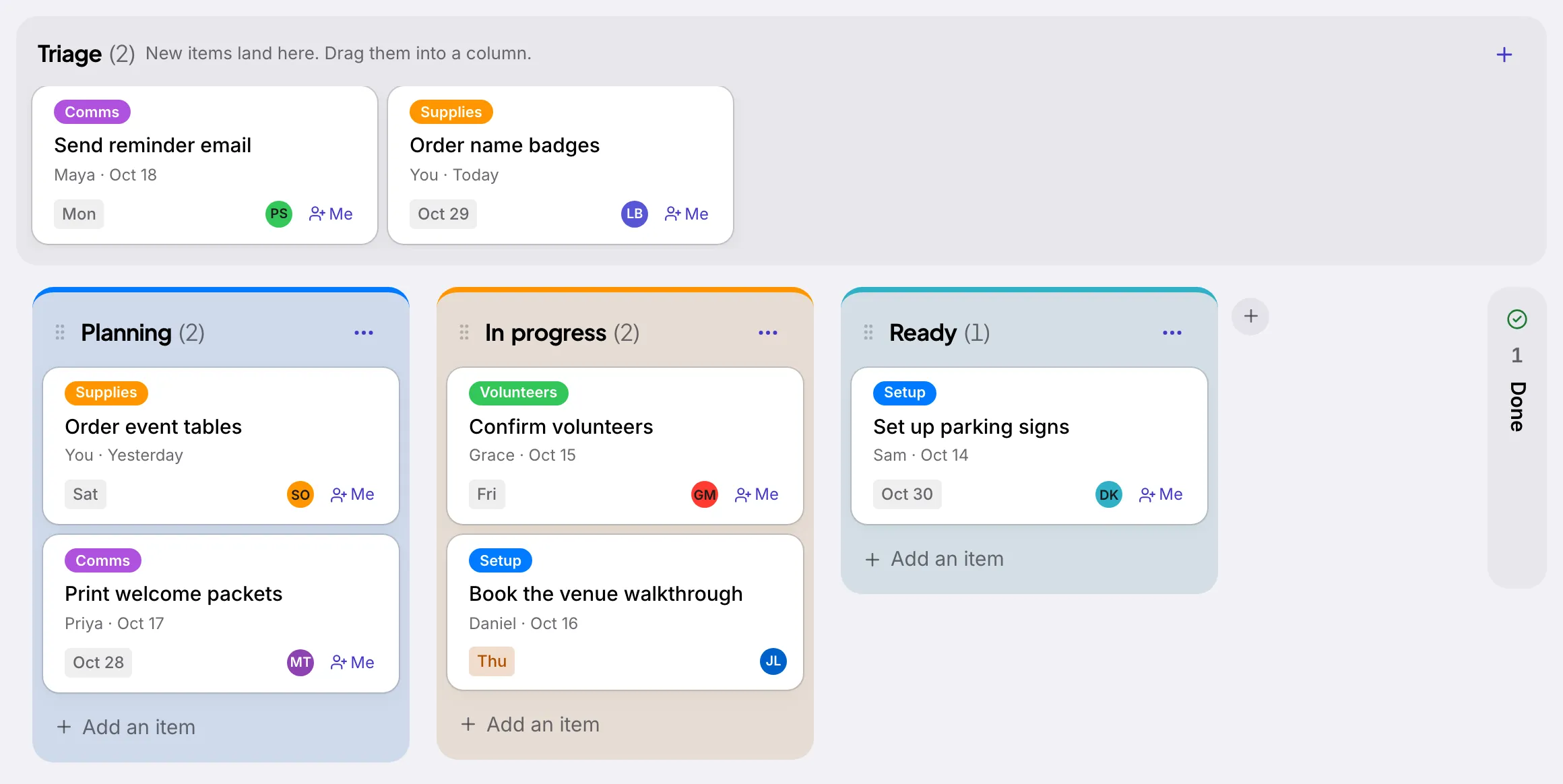
How Tallywo helps your team
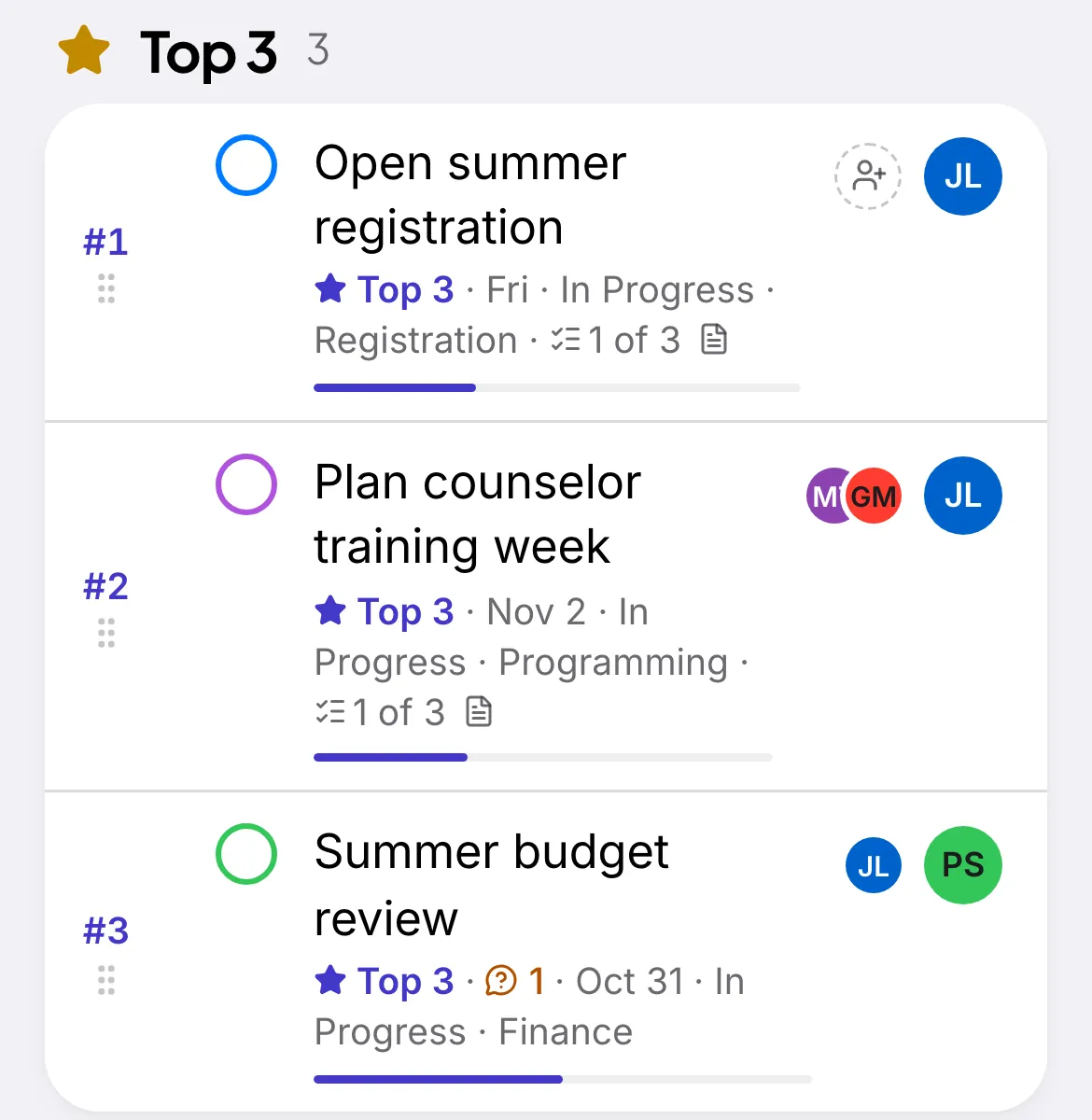
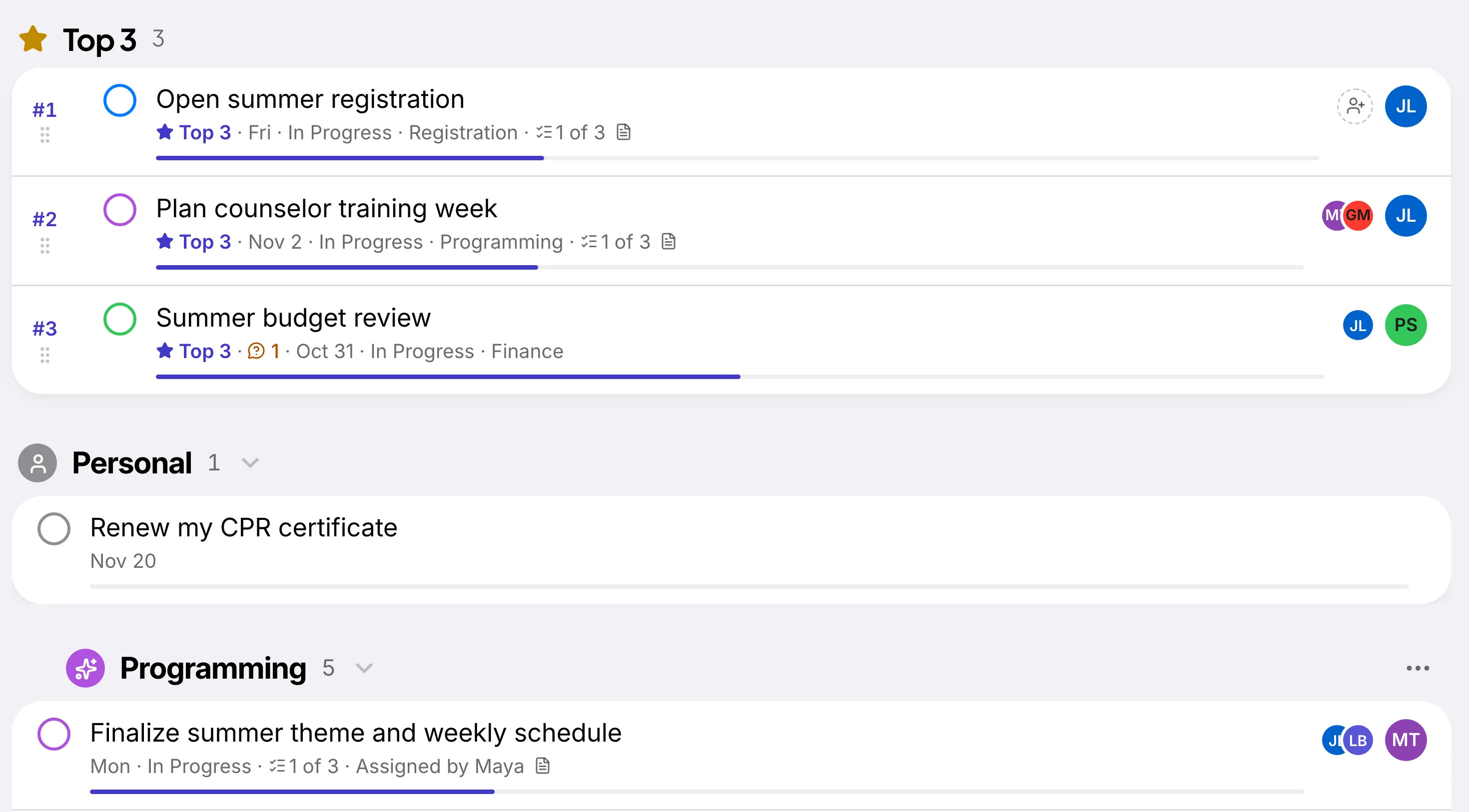
Everyone knows their top three.
Each person ranks what matters most this week. Leads can flag one.
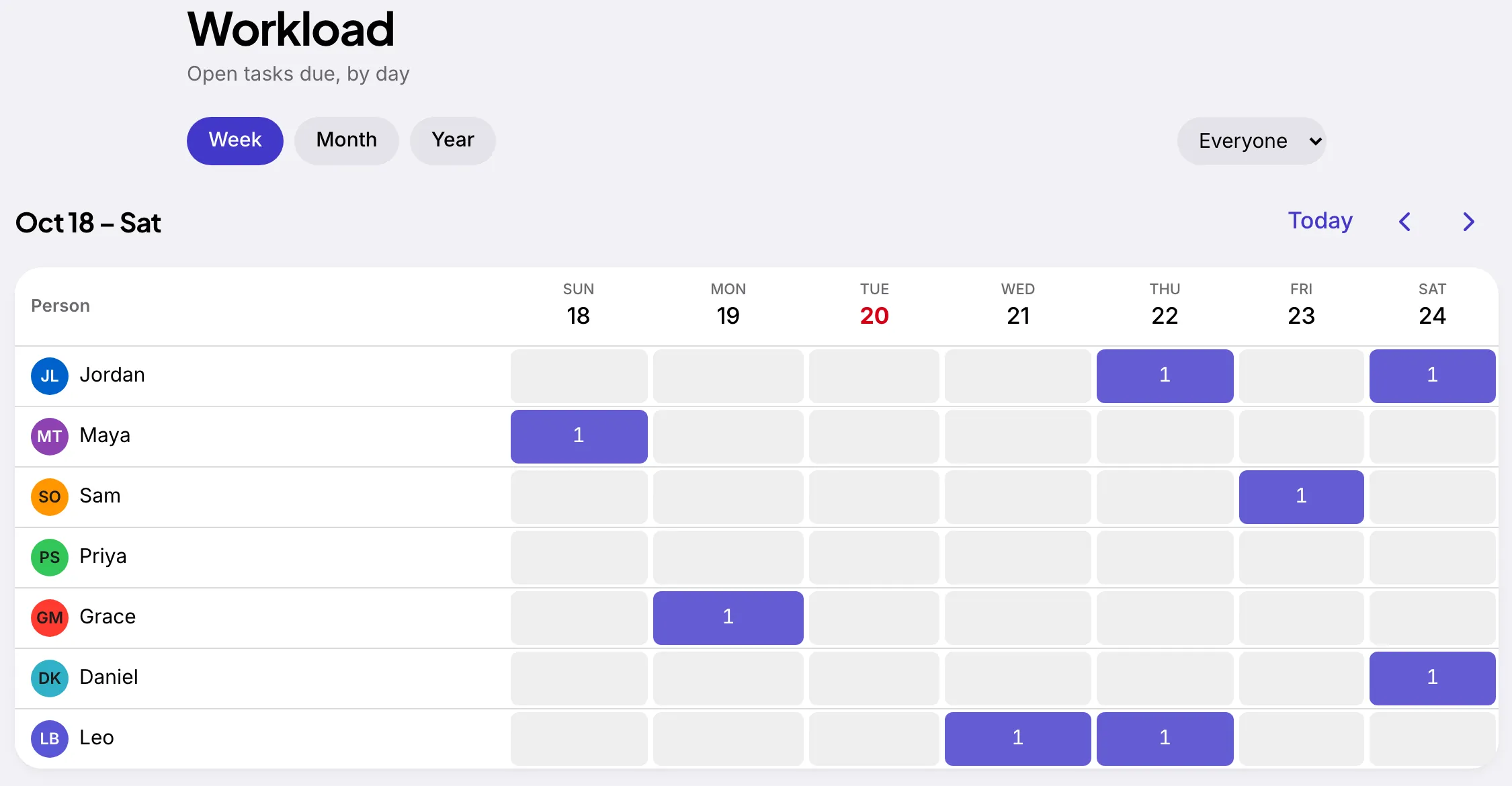
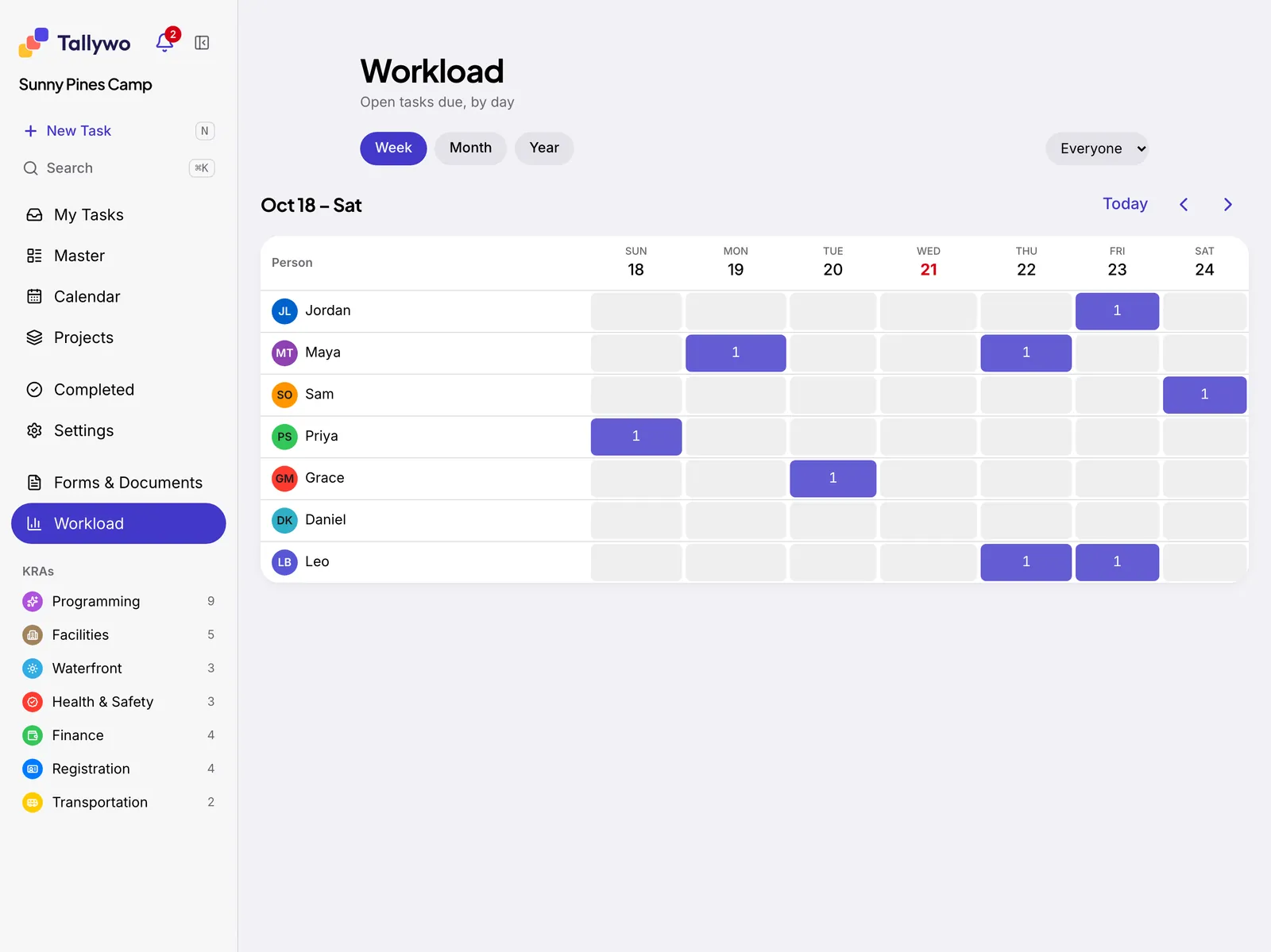
Leads see who's stretched thin.
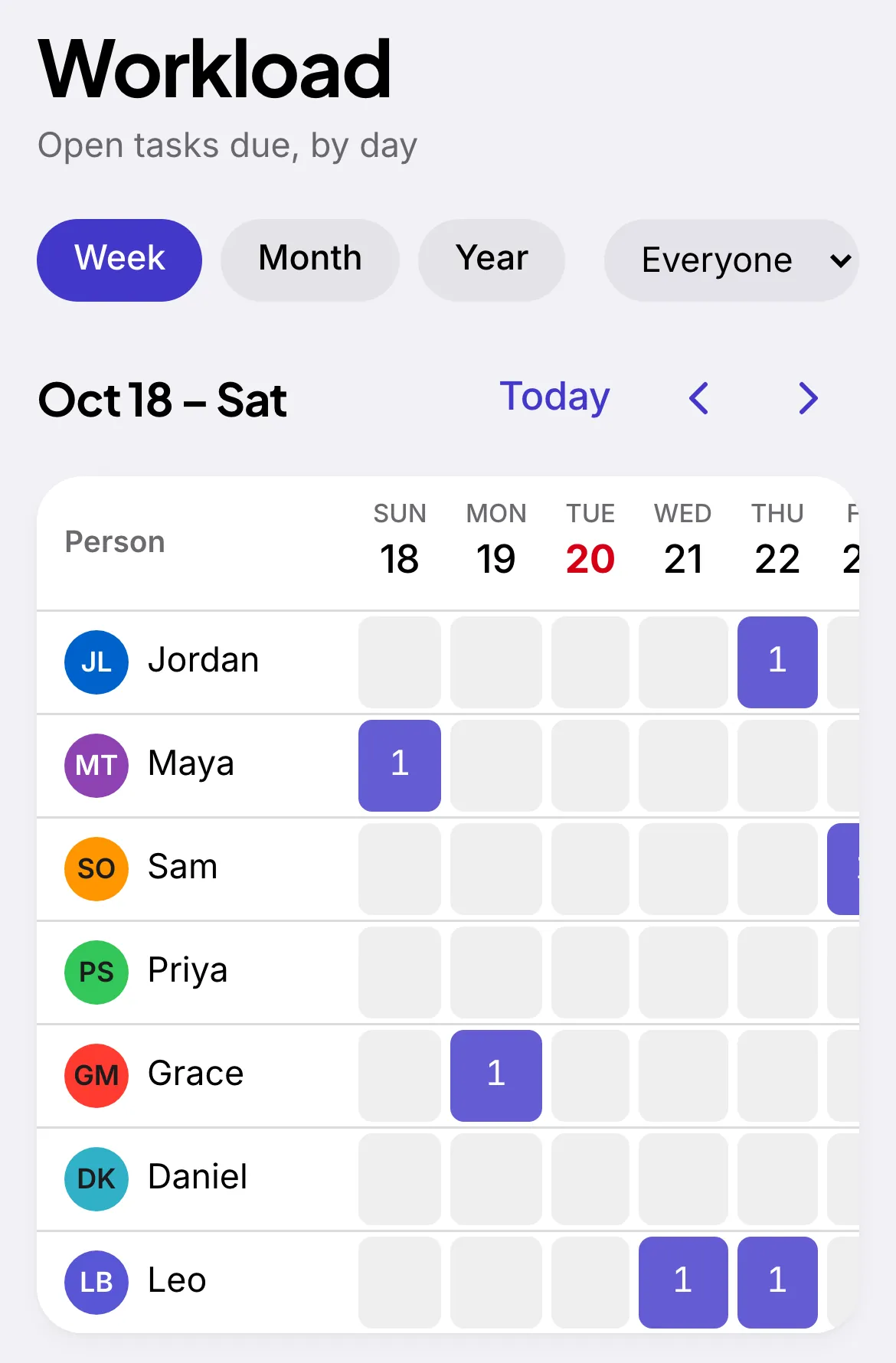
Every person's open tasks, day by day, before you hand out more.
On web, iPhone, and iPad.
The same tasks and boards, in sync wherever your team works.
Every task has an owner. Every owner knows what's next. Nothing slips through.
Try the board.
Go ahead, move a card.
Triage (3)
- Order event tablesEventsdue ThuMaya
- Onboard new volunteerPeopledue MonSam
- Draft the October newsletterCommunicationsdue Oct 28Priya
Doing (2)
- Q4 budget reviewFinancedue FriGrace
- Book the venue walkthroughEventsdue WedDaniel
Done (1)
- Renew the insurance policy, doneOperationsdue Oct 14Leo
Drag with a mouse or finger, or tab to a card and press Space.
Top 3
What matters most this week.
Everyone keeps a Top 3: the three tasks that come first this week. Leads can flag one, so nobody has to guess what's urgent.
Workload
See who's busy before you assign.
Workload shows each person's open tasks by day. Spot a crowded week before you hand someone one more thing.
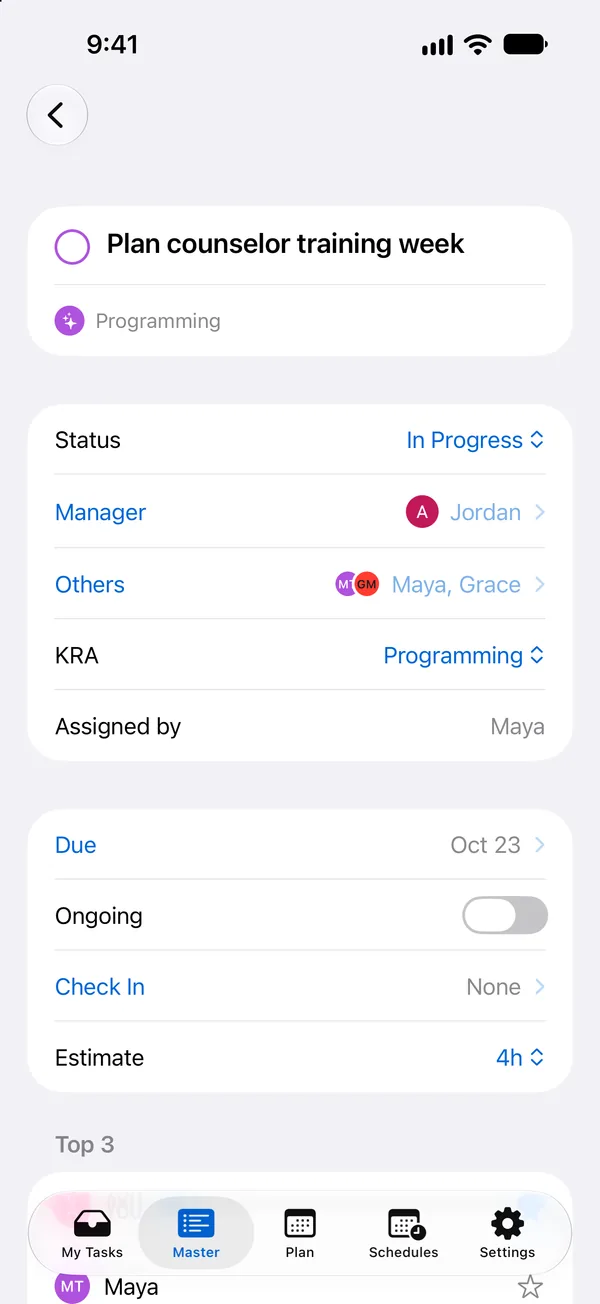
Task details
Everything about a task, in one place.
Open a task to see who owns it, who's helping, its stage and its due date. Subtasks and a running thread of questions and history keep the whole story with the work.
Also on iPhone and iPad.

Built for any team.
If your organization runs on a shared list of things to do, Tallywo fits. A summer camp, for example, uses it to run hiring, facilities, and opening weekend from one board, and every person knows what's theirs.
A nonprofit
Volunteers, events, and grants, without the spreadsheet chase.
A school office
Enrollment, field trips, and staff duties in one shared list.
A small business
Hiring, ordering, and weekly priorities everyone can see.
Ready when your team is.
Tallywo is opening to new teams a few at a time.
Free during early access. We'll set up your team with you, personally.